
Case Study
Zesto
A high-converting mobile app landing page that turns hungry visitors into app downloads — built for local food delivery businesses ready to grow.

Background
The Problem
Tariq runs a food delivery startup in a mid-sized city. He had the riders, the restaurant partnerships, and a working app — but nobody was downloading it. His only marketing presence was a WhatsApp status update every few days and a basic link in his Instagram bio that went to a generic app store page.
When potential restaurant partners asked to see his platform, he'd scramble to screenshare his phone over a Zoom call. The restaurants he wanted to partner with had one recurring question: "What makes you different from the big platforms?" Tariq had a great answer — lower commission rates, faster payouts, real-time dashboards — but no professional way to show it.
Every pitch felt like it started from zero. Without a proper landing page, he was doing the job of a brochure, a sales rep, and a demo video all at once, manually, every single time.
"The same page had to speak to two completely different audiences — hungry customers who wanted to order food in seconds, and restaurant owners who needed to trust a new platform with their business."
Solution
What was built
Live App Screen Mockups
Real screenshots of the Zesto app displayed inside interactive phone frames throughout the page. Instead of telling potential users the app looks great, we show them — before they've downloaded a single thing. This removes the biggest barrier to a first download: uncertainty about what they're getting.
Restaurant Partner Dashboard Preview
A fully designed dark-mode dashboard card showing real order data, a bar chart, revenue stats, and live order status. Restaurant owners can see exactly what their control panel would look like — more persuasive than three paragraphs of bullet points about features.
Dual-Audience Page Architecture
The page speaks to hungry consumers in the hero and features sections, then pivots cleanly into a dedicated restaurant partner section with its own headline, value props, and CTA. One URL. Two complete sales conversations.
Scroll-Triggered Animations
Every section enters the viewport with a staggered fade-up animation that makes the page feel like a premium consumer product — the kind of polish that signals to a restaurant partner that this company takes its brand seriously.
Fully Responsive Mobile Layout
Built mobile-first with a horizontal-scrolling app showcase, a collapsing navbar drawer, and touch-optimised CTA buttons. Given that most food delivery decisions happen on a phone, mobile is treated as the primary experience — not an afterthought.
Performance-First Build
Static generation via Next.js, font preconnect, passive scroll listeners, and Framer Motion animations gated behind a useReducedMotion check for accessibility compliance. Fast on mobile data from anywhere.
Engineering
Key Challenges
Making two audiences feel at home on one page without confusing either
The brief required the page to convert both hungry end-users and sceptical restaurant owners — two groups with completely different motivations, vocabulary, and trust signals. Showing commission rates and revenue dashboards in the hero would kill consumer appetite. Showing food photography in the partner section would feel amateurish to a business owner.
A deliberate page architecture with a hard visual break: the consumer experience runs through the first five sections in a warm off-white palette, then the page shifts to a full-bleed dark section (#1A1208) for the restaurant pitch — a contrast so dramatic it signals a completely different conversation without a single word of explanation. Both audiences get a page that feels written specifically for them.
Building a phone mockup component that works as a reusable design system
The phone mockup appears in four different sections at three different sizes with different tilt angles and different screen content inside each one. Getting the frame, notch, side buttons, inner screen radius, and overflow clipping to look pixel-perfect across all combinations was far more complex than it appeared.
Precise sub-pixel radius matching between the outer frame (40px) and the inner screen (36px), with overflow-hidden enforced at both levels independently. Without this, every phone on the page would have had visible corner leaks — the kind of detail that makes a polished product page look unfinished and erodes the trust it's trying to build.
Screens
Screenshot walkthrough
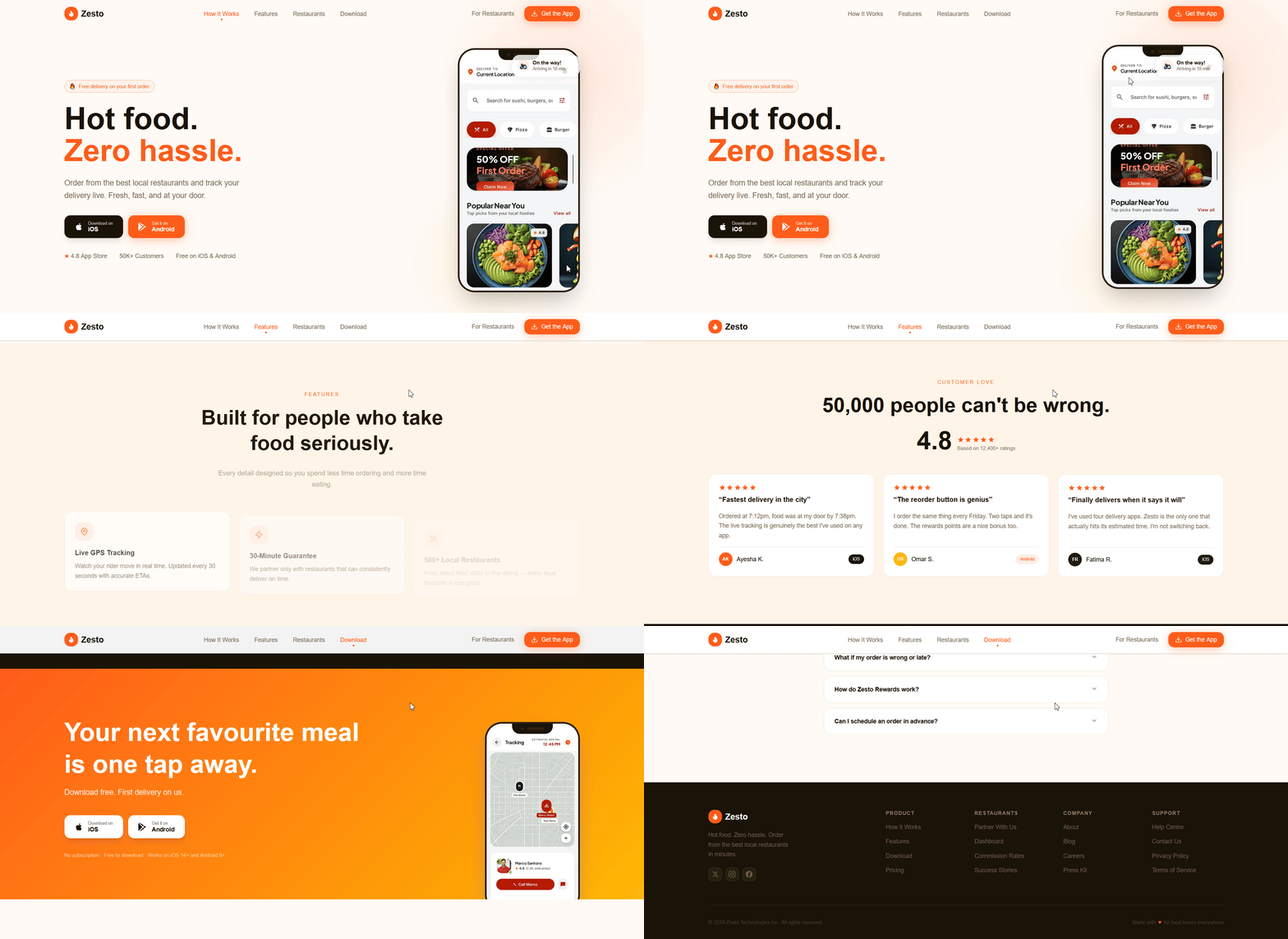

H1, both CTAs, phone mockup with floating glassmorphism cards
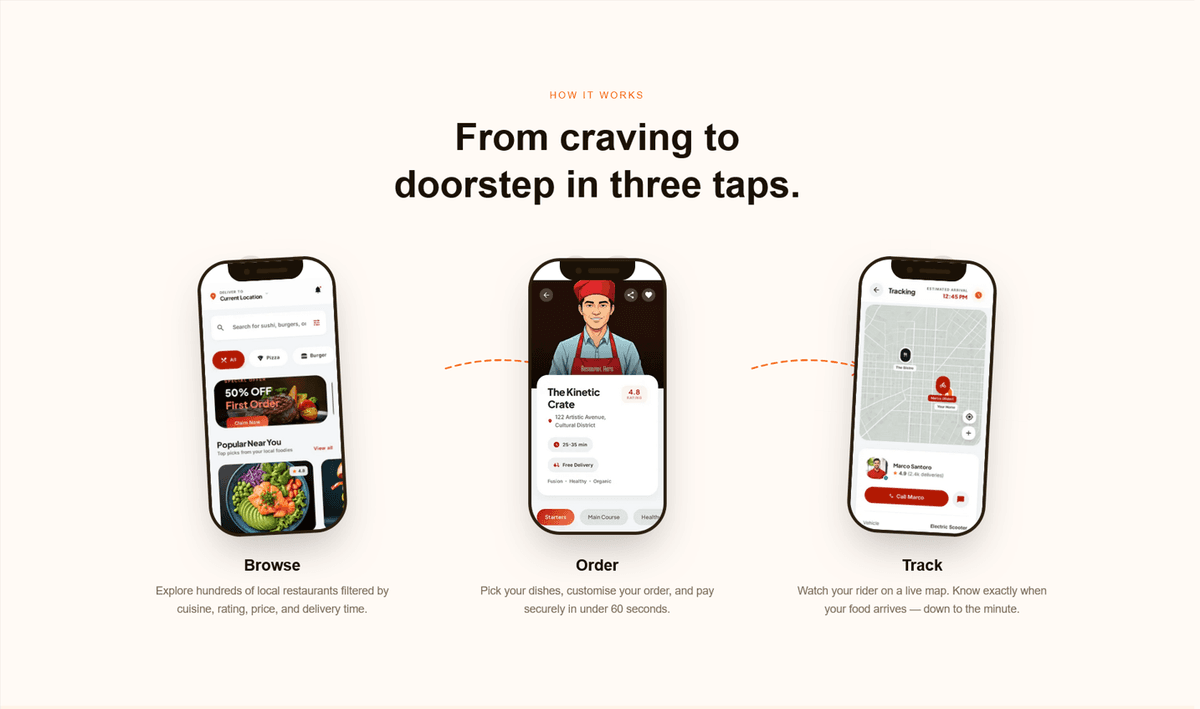
Tilted mockups side by side with dashed arrows and step numbers
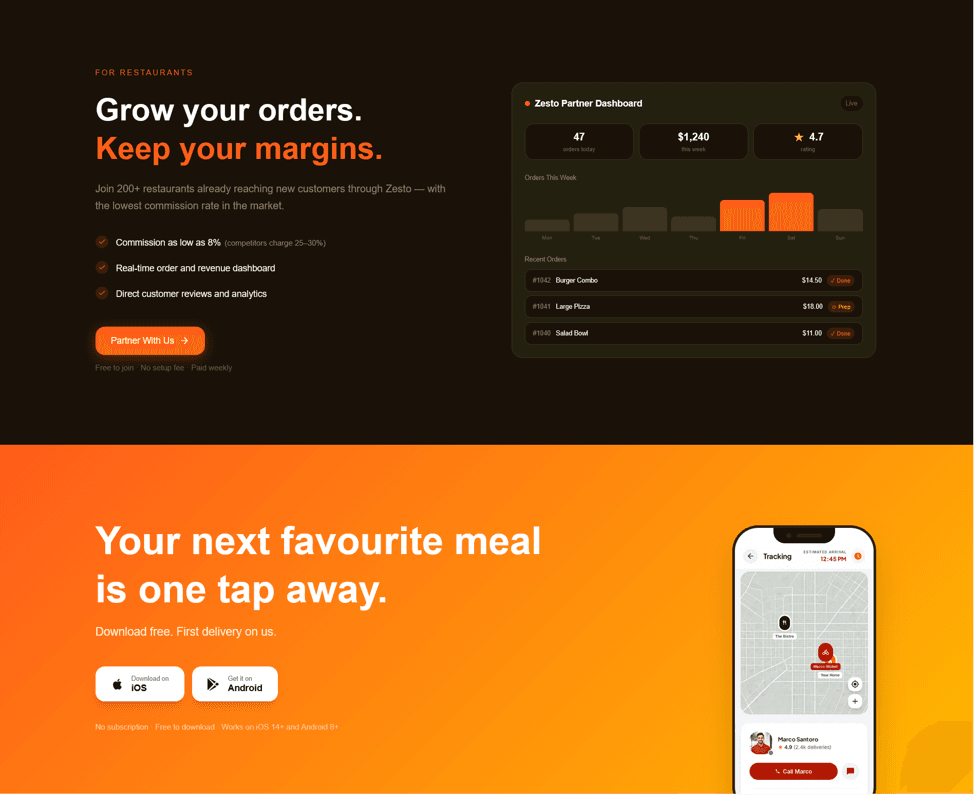
White/orange headline + complete dashboard card with bar chart
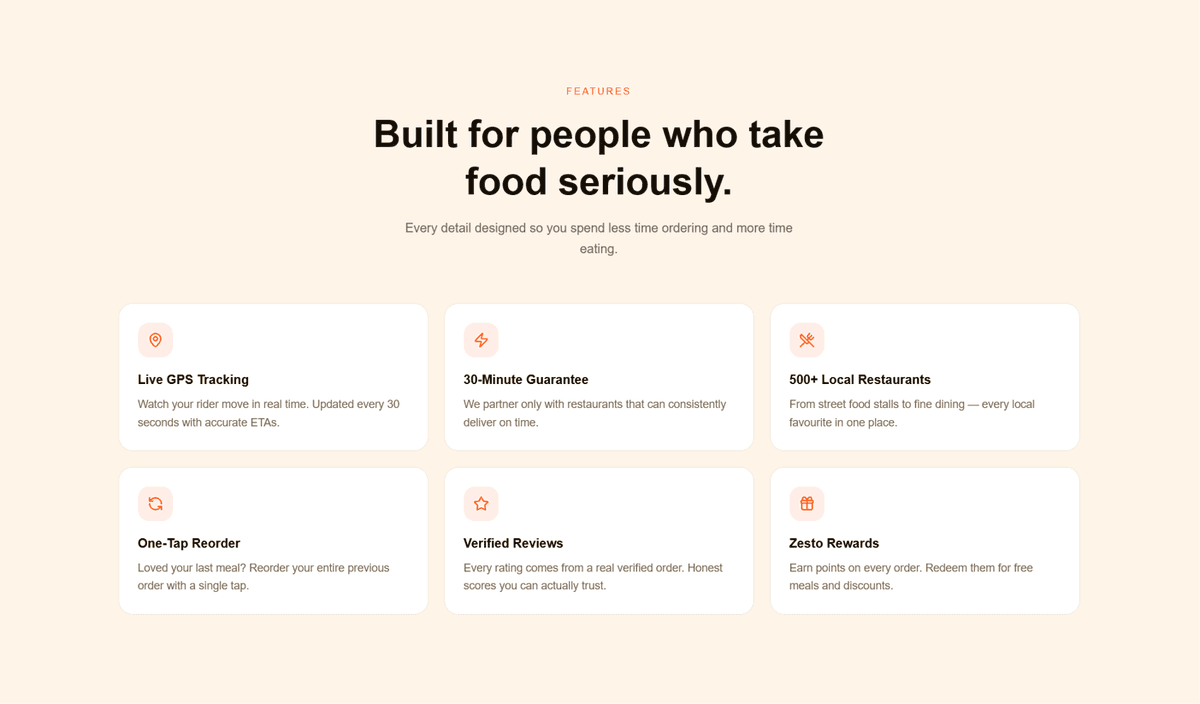
3×2 feature cards with one card in hover state
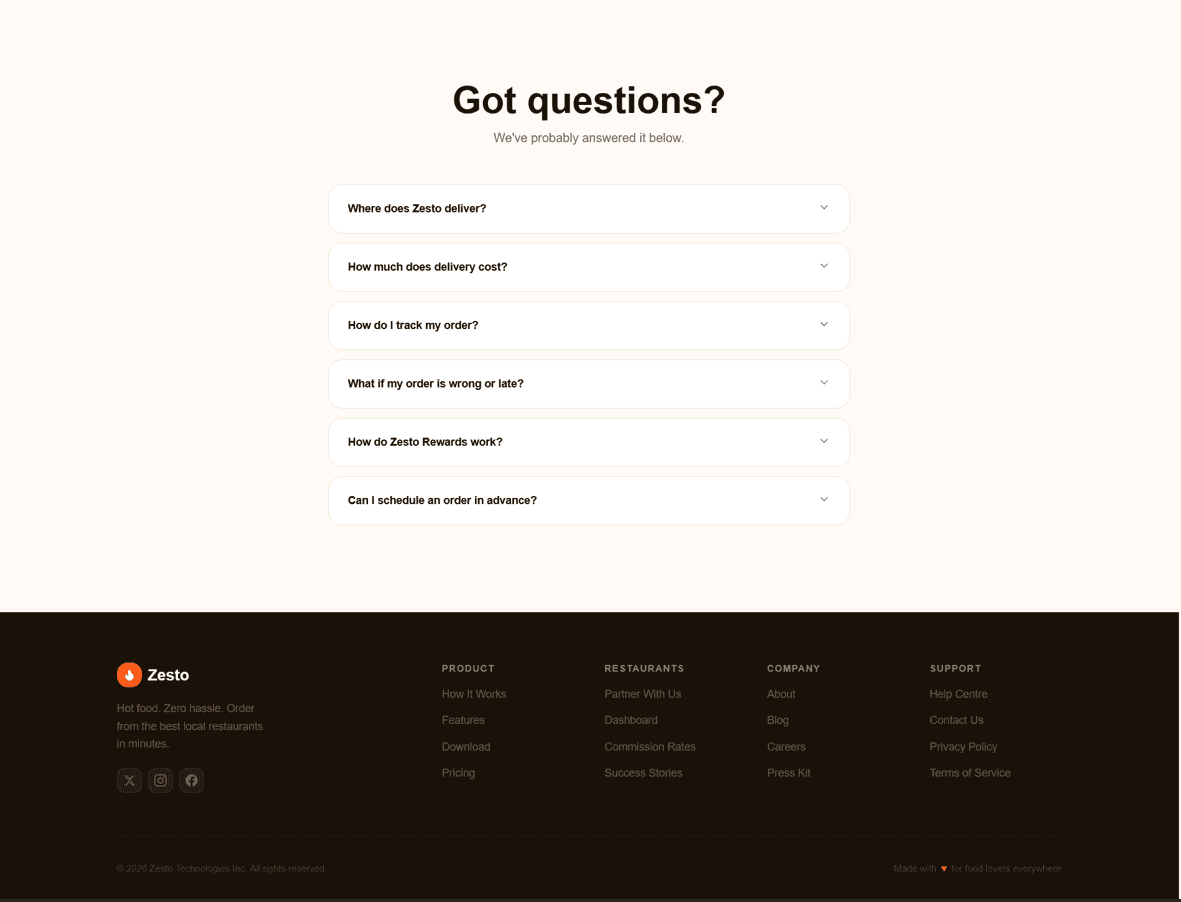
Accordion open state with orange trigger + dark footer
Results
The Outcome
Restaurant partners can be sent a single URL instead of a live screenshare demo — cutting first-meeting prep time from 30 minutes to zero
The app showcase displays all four core screens (Discover, Order, Track, Earn) inside real phone frames — giving potential users a complete picture before download
The restaurant dashboard mockup answers the three most common partner objections — commission rate, reporting tools, order visibility — without a single sales call
Page load performance optimised for mobile-first delivery: static generation, font preconnect, passive scroll listeners, and reduced-motion accessibility support
The dual-CTA architecture means every visitor type has a clear next action — removing the drop-off that kills single-CTA landing pages