
Case Study
FitZone Gym
A full-stack web app that lets gym clients book sessions online, gives trainers control of their schedule, and hands owners a live dashboard — so the business runs itself.
Background
The Problem
Ahmad runs a mid-sized gym in Lahore with four personal trainers and a growing client base. For two years, his entire booking system was a combination of WhatsApp messages, a paper appointment book behind the front desk, and a shared Google Sheet that nobody kept updated. Every morning started the same way: trainers asking which clients were coming in, clients calling to check if a slot was still available, and Ahmad personally confirming bookings between sets.
The real cost wasn't just the chaos — it was the lost revenue. A client would message at 10pm to book a Saturday slot. Nobody would see it until Monday. By then the client had already gone somewhere else. Double-bookings happened at least twice a month, which meant awkward conversations and refunds. Ahmad estimated he was losing four to six bookings every week just from slow or missed responses.
"He needed a system that handled the entire booking flow on its own — clients could see availability, pick a time, and confirm without a single message being exchanged."
Solution
Core Features
Online Booking Flow
Customers pick a trainer, choose a date from a live calendar that only shows available days, select a time slot, and confirm — all in three steps. No phone calls, no WhatsApp, no waiting.
Staff Schedule Dashboard
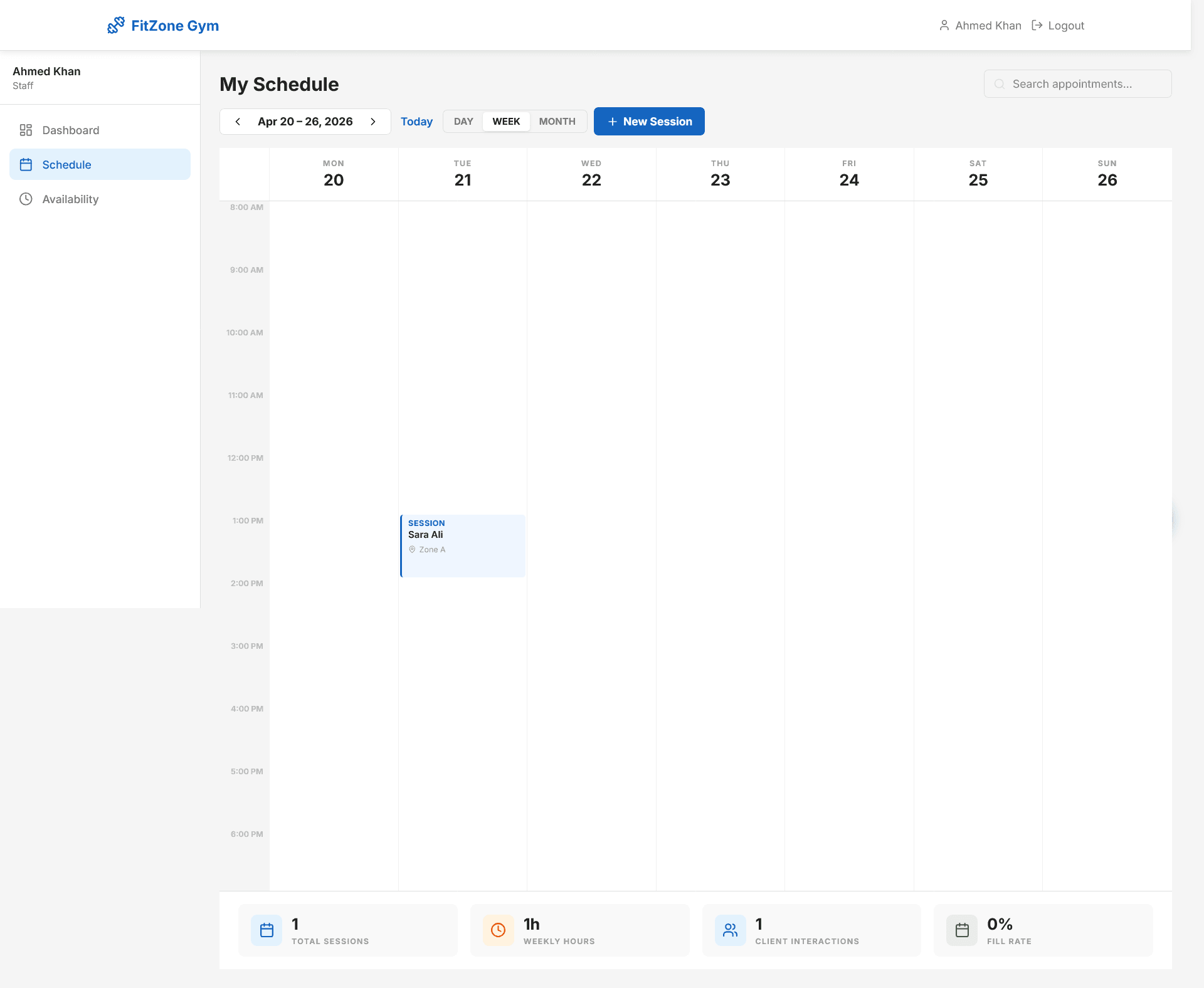
Each trainer sees today's sessions in a clean timeline view, can mark appointments complete or flag no-shows, and sets their own working hours and blocked dates independently.
Admin Control Panel
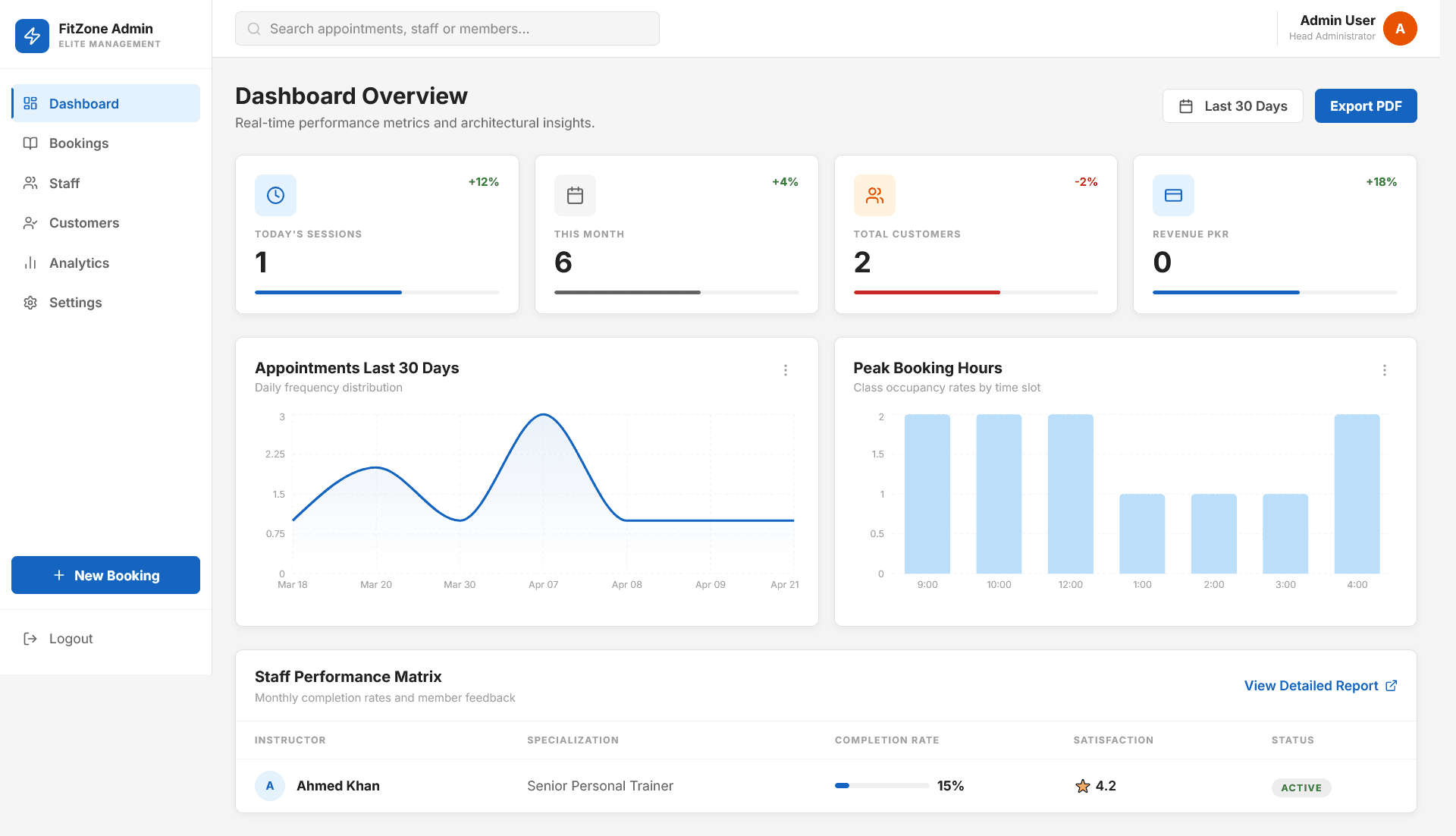
The owner sees live KPI cards — today's sessions, monthly revenue, total customers — appointment trend charts, a full staff performance table, and the ability to export data as CSV.
Automated Email Reminders
The system automatically sends reminder emails to clients 24 hours before their session via a scheduled job — reducing no-shows without the owner lifting a finger.
Walk-in Booking
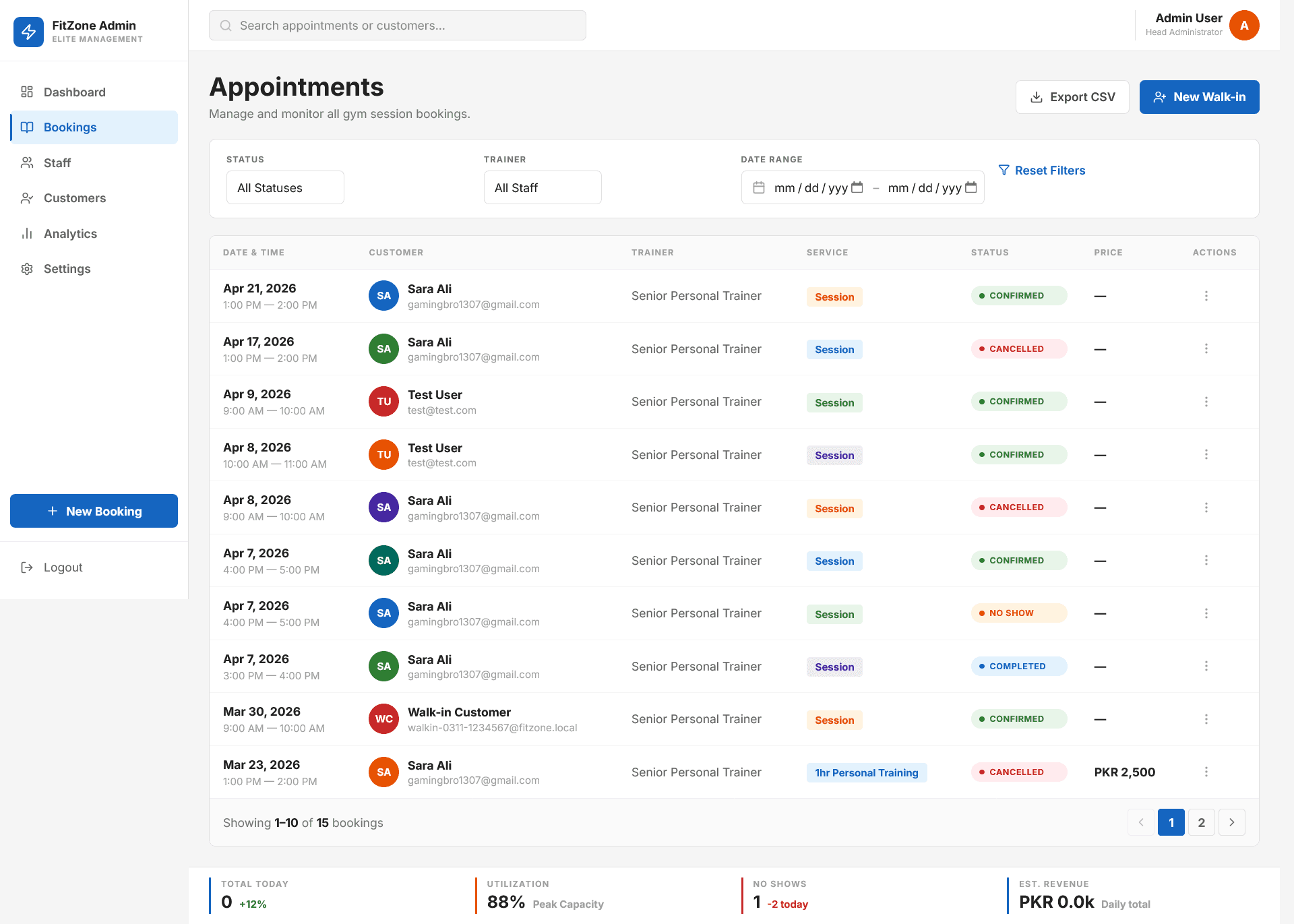
Admin can instantly log walk-in customers directly from the dashboard, keeping all records in one place even for unplanned arrivals.
Three Separated Roles
Customers, trainers, and the admin each see only what's relevant to them — JWT-protected routes keep each role completely separated and secure.
Engineering
Key Challenges
Real-time slot availability with no double-bookings
The trickiest part of any booking system is making sure two customers can't book the same slot at the same time — especially when multiple users are browsing simultaneously.
The backend generates available time slots dynamically based on each trainer's working hours, existing bookings, and blocked dates — all calculated fresh on every request. When a booking is submitted, the slot is locked immediately and the availability cache is invalidated so other users see the updated state within seconds.
Cross-browser session persistence — Firefox caching bug
During testing, a subtle but serious bug appeared: Firefox was aggressively caching the authentication response from a previous user session. When a new user logged in, Firefox would return the old cached user data — meaning the wrong dashboard would load.
Solved by adding explicit no-cache headers on the authentication request at the HTTP client level, forcing Firefox to always fetch a fresh session. This kind of browser-specific bug is invisible during Chrome development but would have caused real confusion on shared front-desk devices in production.
Screens
Screenshot walkthrough
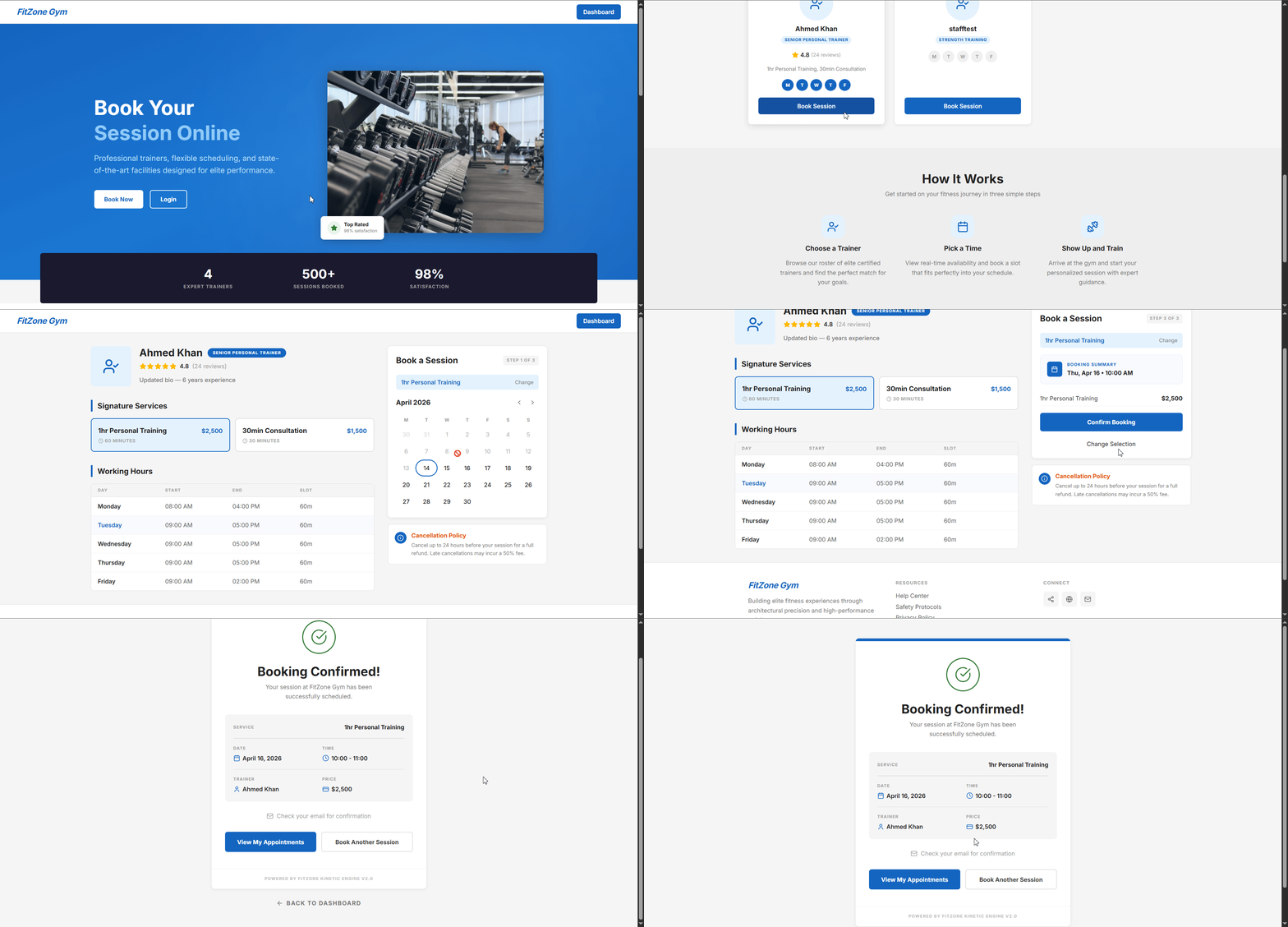
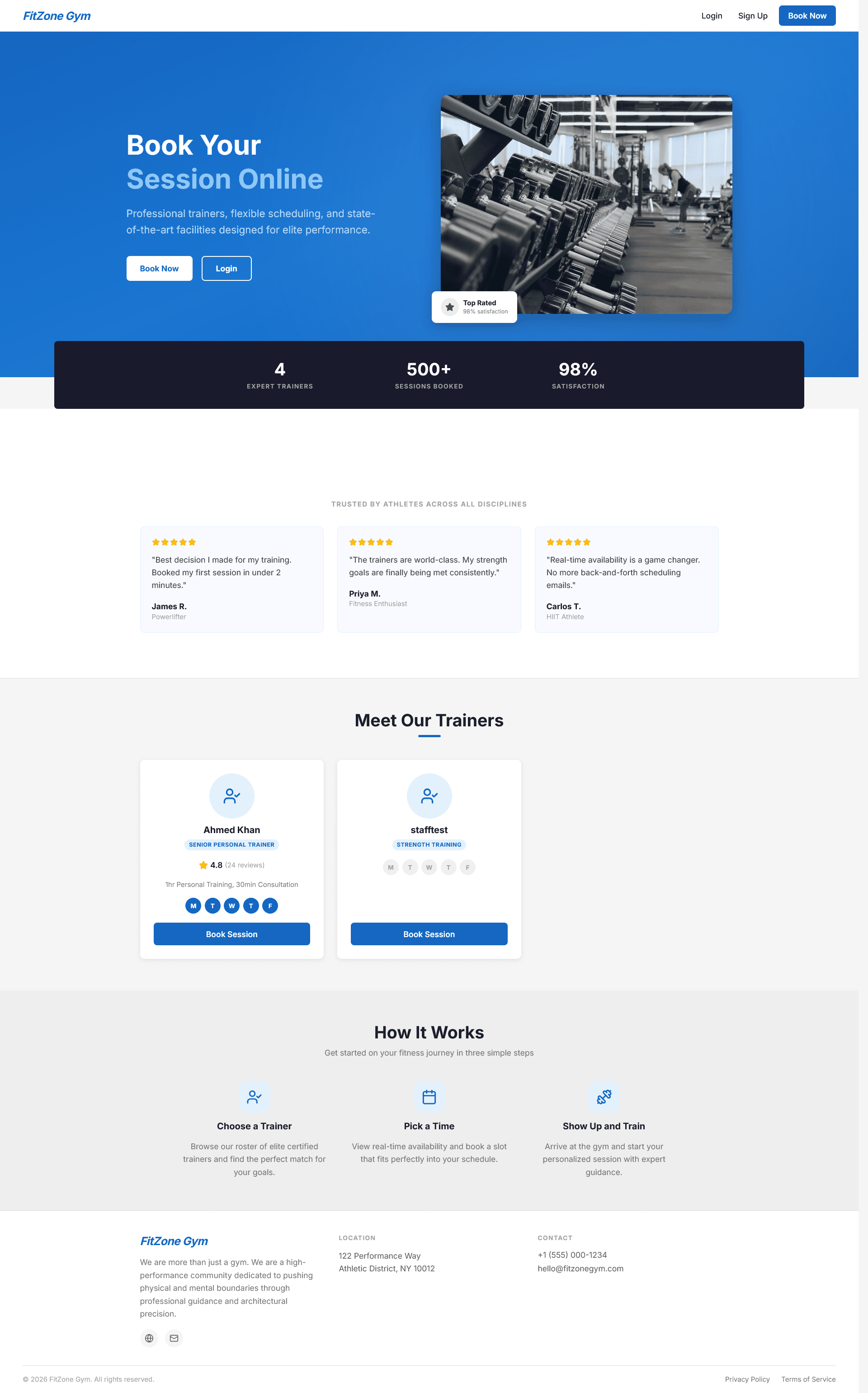
Client-facing first impression with Book Session buttons
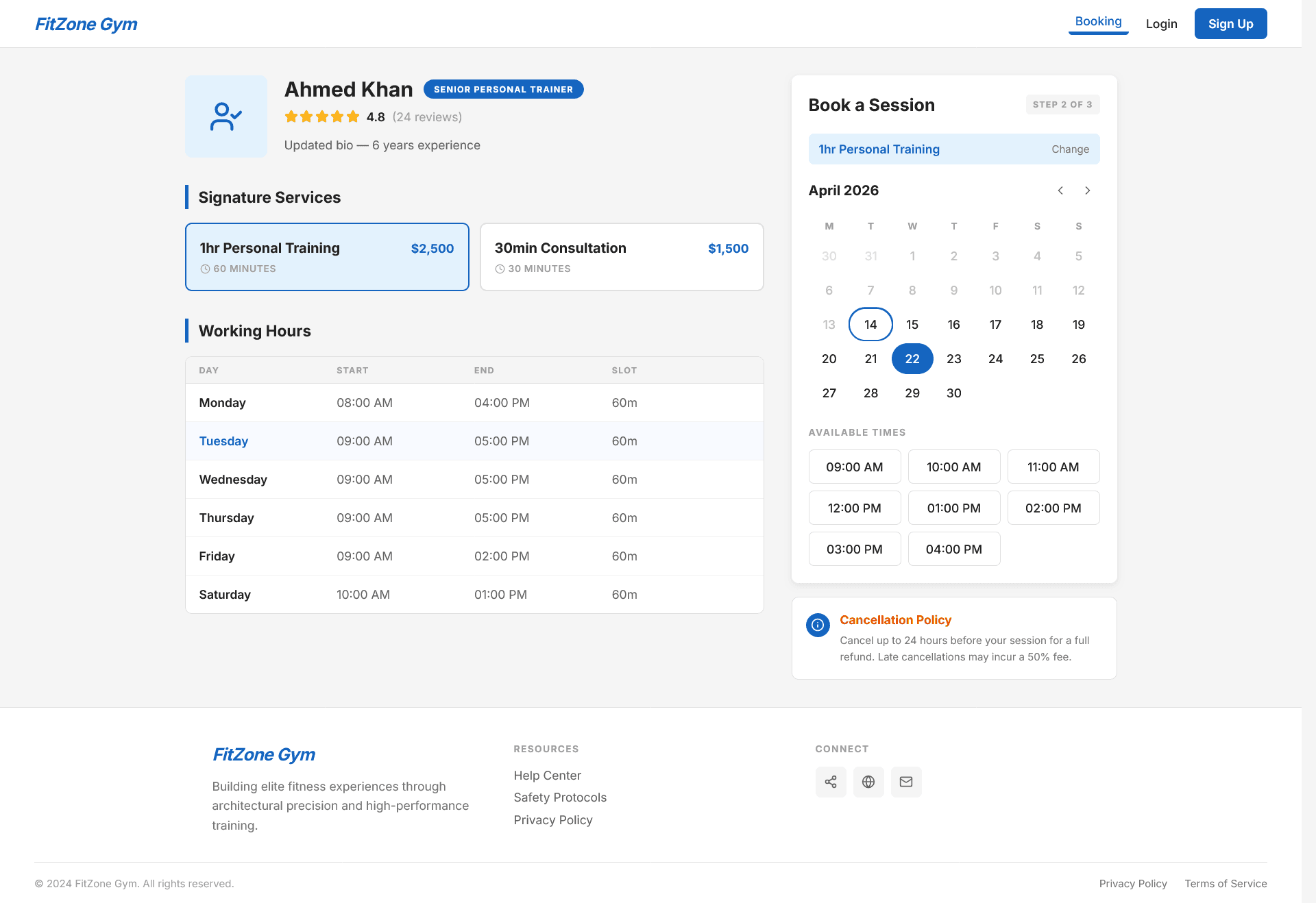
Live availability logic — only shows free slots
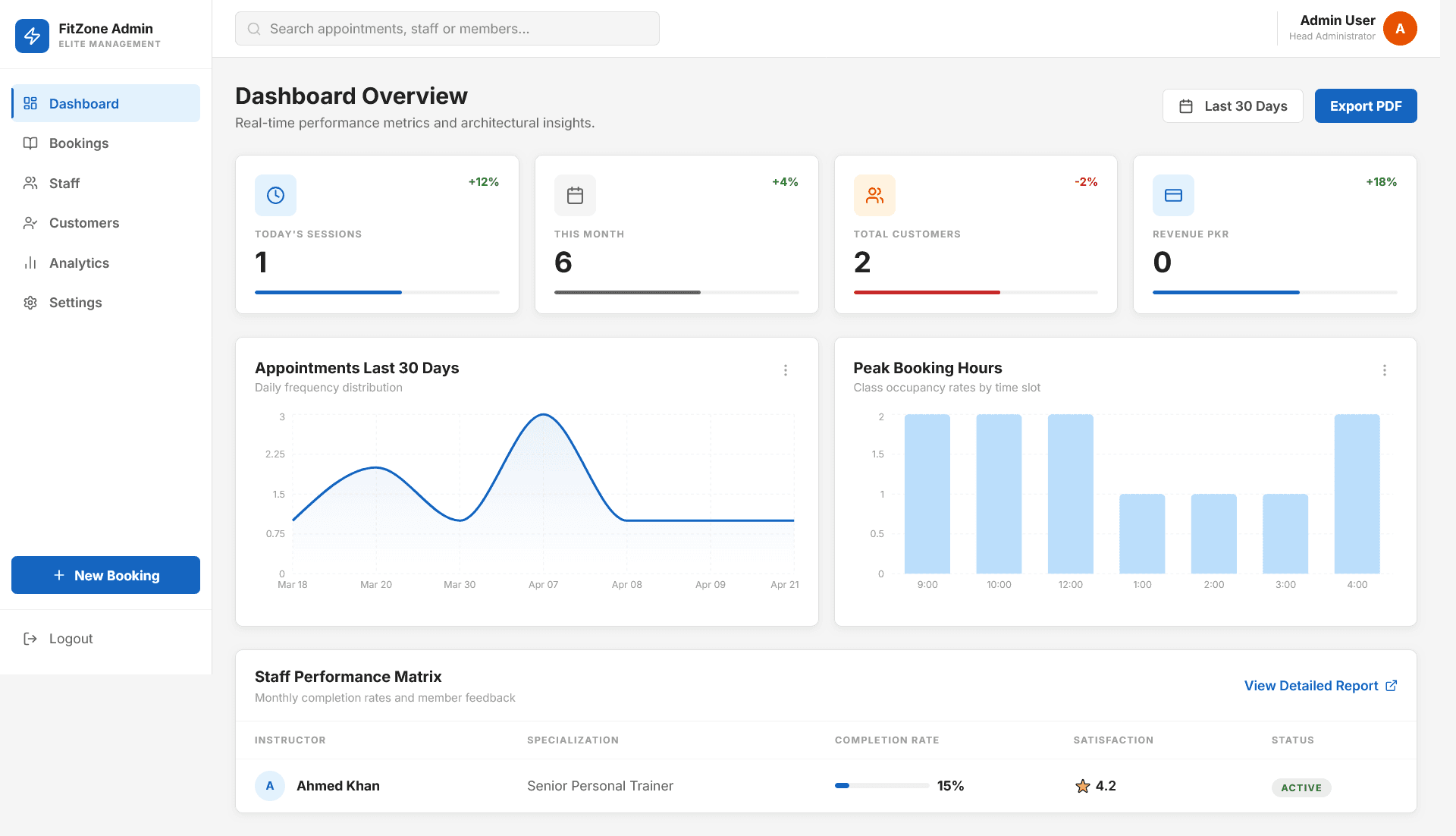
Revenue, sessions, and trends in one view
Timeline with Mark Complete buttons
Filtering, status tracking, and walk-in booking
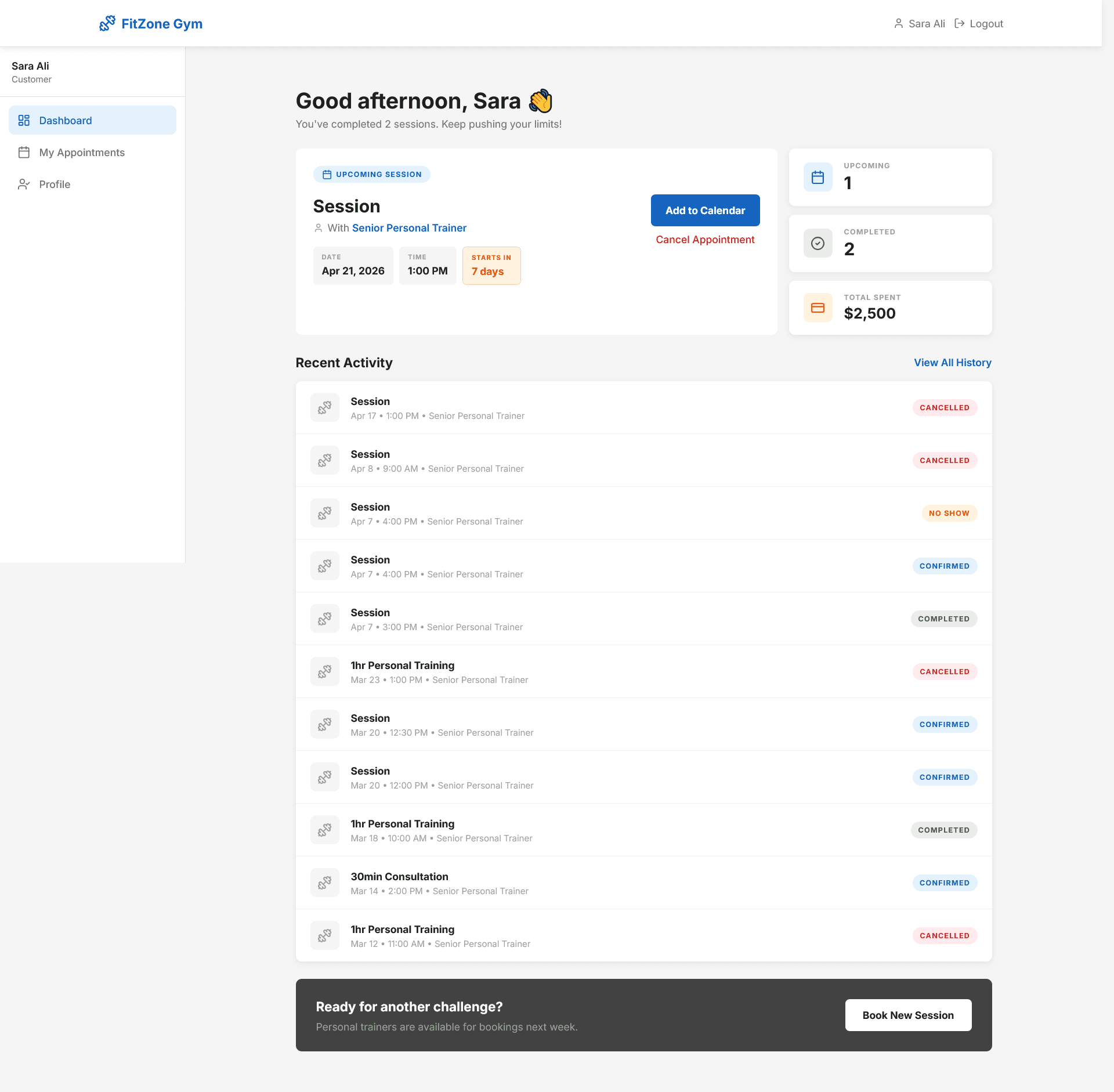
Upcoming tab with status badges and Cancel button
Results
The Outcome
Booking time reduced from 10–15 minutes of back-and-forth messages to under 2 minutes — entirely self-served
Zero double-bookings — slot locking and live availability prevent scheduling conflicts that previously happened multiple times per month
Automated reminders eliminate manual follow-up — 24-hour emails send without any staff involvement
Owner visibility went from zero to real-time — revenue, sessions, and staff performance on one dashboard
Three fully separated user roles — each feels purpose-built rather than generic
Fully deployed and live — not a prototype, a production-ready system accessible from any device